After importing a copy of my Lead Capture Page (or creating your own), you need to make sure it is connected to an email list before promoting or the contact details will not get stored for you.
To connect the page to your list click first on PAGE MANAGER and then click on the Lauch Editor button underneath the list:

In the editor menu click on LIST which is the second option from the top:

In the list section choose Use Sendsteed then click on the Get List ID button. This will open a drop down menu where you can select the list you wish to use with this capture page.

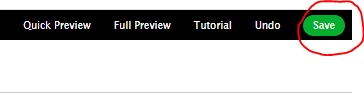
When the list number is showing in the Enter List ID box make sure you save these settings. The save button is at the top right of your screen:
You have now connected the Lead Capture Page to your email list.
I recommend you test the system is working correctly before you start promoting it. To do that simply add the page URL into a new window and enter your own details in the form.
You should see a notification to verify your email address:

You can now add a welcome email that gets sent out as soon as verification has been completed by your new subscriber.